
 Cart is empty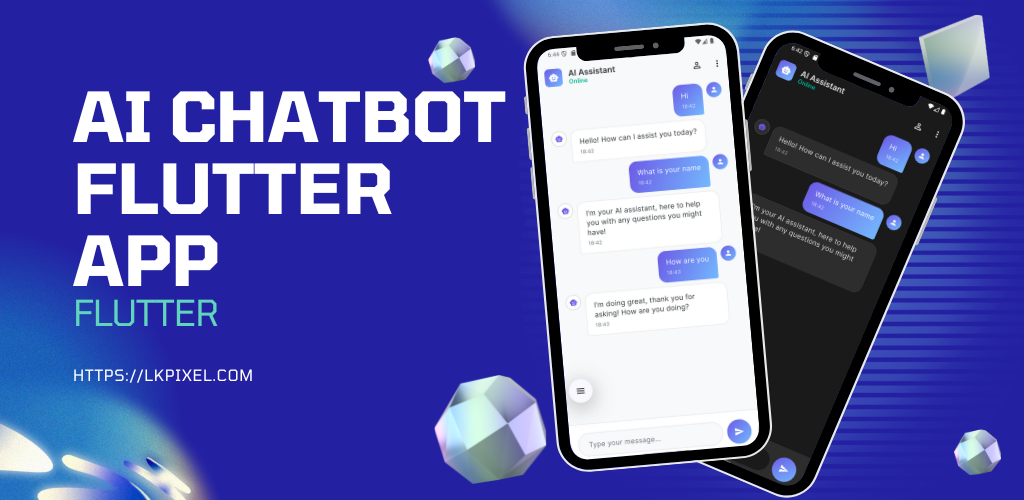
AI Chatbot Flutter App UI
Sale22%$8.99 $11.49
A sleek, professional Flutter UI template for chatbot applications. Includes modern chat interface, onboarding flow, dark/light themes, and mock data – ready for integration with your AI backend.
- ✨ Modern and stunning UI/UX
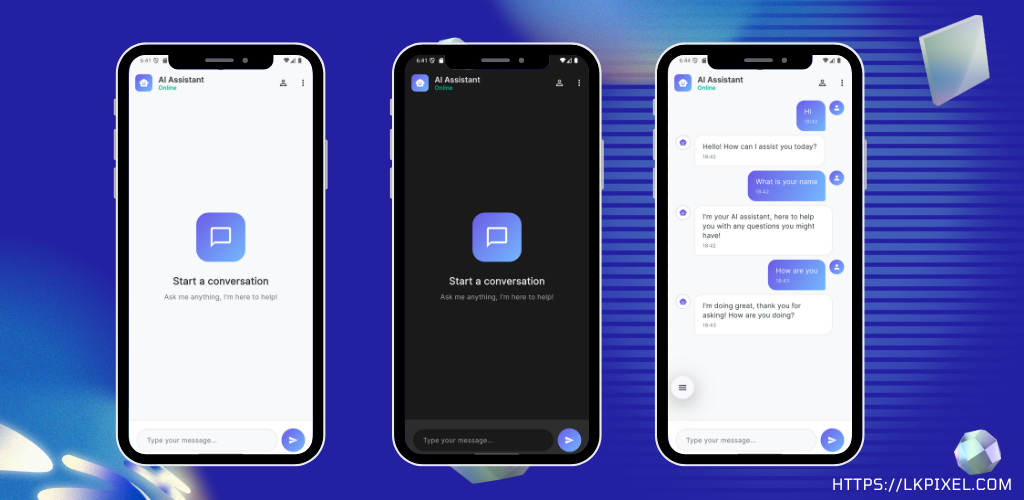
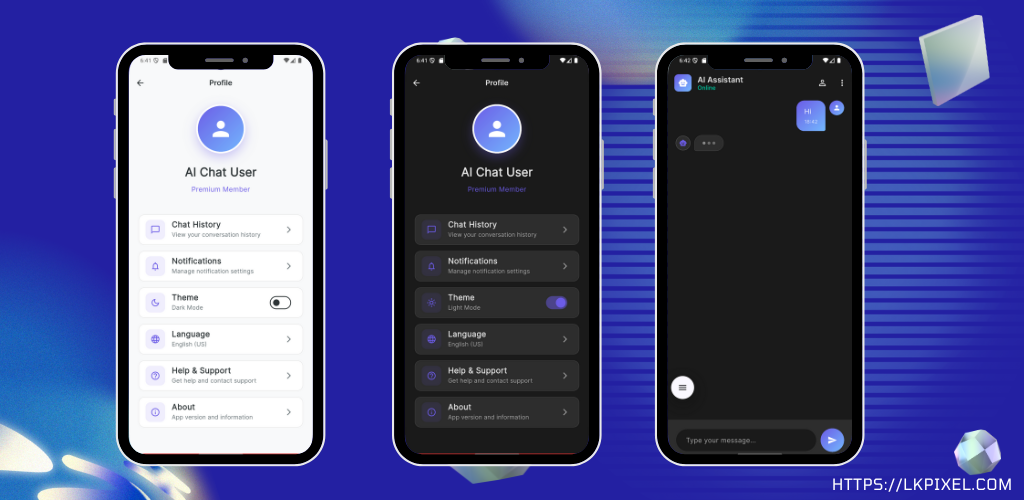
- 🎨 Dark and light theme toggle
- 💬 Prebuilt chatbot UI with mock conversation flow
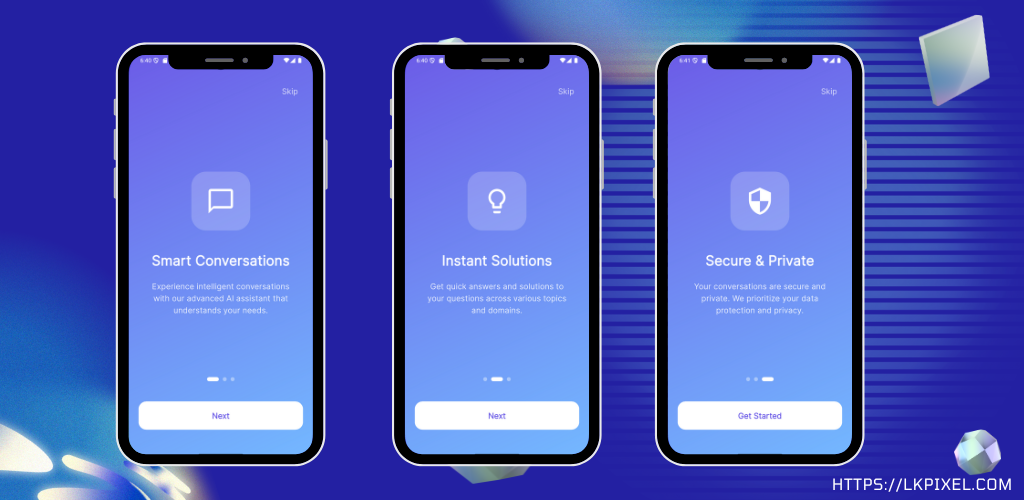
- 🧑🏫 Animated onboarding screens
- 📱 Fully responsive across device sizes
- 🔄 Typing animation, timestamps, and message bubbles
- 🧩 Clean architecture using Provider for state management
- 🔧 Easy backend integration support (OpenAI, Bard, etc.)
🤖 AI Chatbot Flutter UI Kit
The AI Chatbot Flutter UI Kit is a professionally designed mobile app template built with Flutter. This package focuses purely on the user interface (UI) using example/mock data, making it ideal for connecting to your own AI backend (such as OpenAI, Bard, or custom APIs).
Featuring premium UI/UX design, animated onboarding screens, dynamic theme support, and clean architectural separation, this template helps you save time while building a modern chatbot app.
.
Download Test App: Click and Download the App
.
💡 No real AI backend included – mock conversation data only. Easily integrate your own API using the pre-defined
ChatService.
✅ Features
📦 Project Info
| Key | Details |
|---|---|
| SDK Compatibility | Flutter 3.0.0+, Dart 3.0.0+ |
| Platform Support | Android, iOS, Web (UI only) |
| Backend Included | ❌ No – UI + mock data only |
| State Management | ✅ Provider |
| Theme Support | ✅ Dark / Light Mode |
| Animations | ✅ Splash, Onboarding, Typing |
| Code Quality | ✅ Clean, Modular |
📁 Folder Structure
lib/
├── main.dart                     # Entry point
├── models/
│   └── message.dart             # Message model with mock data
├── providers/
│   ├── app_provider.dart       # Theme and global state
│   ├── chat_provider.dart      # Handles mock messages
│   └── theme_provider.dart     # Theme switching
├── screens/
│   ├── splash_screen.dart      # Animated splash screen
│   ├── onboarding_screen.dart  # Onboarding UI
│   ├── home_screen.dart        # Main chat UI (mock only)
│   └── profile_screen.dart     # Profile/settings placeholder
├── services/
│   └── chat_service.dart       # Placeholder for real backend
├── utils/
│   ├── app_colors.dart         # Color constants
│   └── app_theme.dart          # Theme setup (light/dark)
└── widgets/
    ├── message_bubble.dart     # Chat bubble widget
    └── typing_indicator.dart   # Animated typing indicator
📋 Dependencies (pubspec.yaml)
dependencies:
  flutter:
    sdk: flutter
  provider: ^6.1.1
  flutter_screenutil: ^5.9.0
  shared_preferences: ^2.2.2
  http: ^1.1.0
  google_fonts: ^6.1.0
  animated_text_kit: ^4.2.2
  flutter_svg: ^2.0.9
  lottie: ^2.7.0
🛠️ How to Use
- Clone the project
- Run
flutter pub get - Run
flutter run - Start customizing with your own backend!
| Framework | Flutter |
|---|---|
| Programming Language | Dart |
| Platform Support | Android, iOS, Web |
| State Management | Provider |
| UI Theme | Light and Dark Mode with Custom Gradients |
| Font | Google Fonts – Inter |
| Screen Count | 4 main screens (Splash, Onboarding, Chat, Profile) |
| File Size | 3.81MB |
dan_sami –
I downloaded the AI Chatbot Flutter App UI and am genuinely impressed. This template is everything a developer could ask for in a starting point.
The interface is clean, modern, and incredibly user-friendly, offering a truly polished look right out of the box. Beyond the stunning visuals, the code structure is exceptional: it’s well-organized, easy to understand, and genuinely beginner-friendly, which makes jumping into customization an absolute pleasure.
Navigation is smooth, the layout is perfectly responsive, and the overall UI quality is superb. This is hands-down the best foundation for anyone looking to build a professional-grade chatbot application using Flutter. Highly recommended!
Anan Kuma –
This AI Chatbot Flutter App UI is brilliant! The interface is modern, clean, and perfectly responsive. The code is exceptionally well-organized and beginner-friendly, making integration simple. It’s the perfect 4-star foundation for any serious Flutter chatbot project. Highly, highly recommend!
TechSavvyBane –
I downloaded the AI Chatbot Flutter App UI and I’m really impressed. The interface is clean, modern, and user-friendly. The code structure is easy to understand, well-organized, and beginner-friendly. Navigation is smooth, the layout is responsive, and the overall UI quality is very good. This is a great starting point for anyone building a chatbot app using Flutter. Highly recommended!